TUI
On an interactive terminal, evolve run triggers, run evals and run all open a full-screen TUI: first a selection
form to scope the run, then a live dashboard that streams results as agents finish. Pass --no-tui (or set
EVOLVE_NO_TUI=1) for the plain line-based output used in CI and non-TTY pipes — both paths drive the same engine, so
the run is identical either way.
Selection form
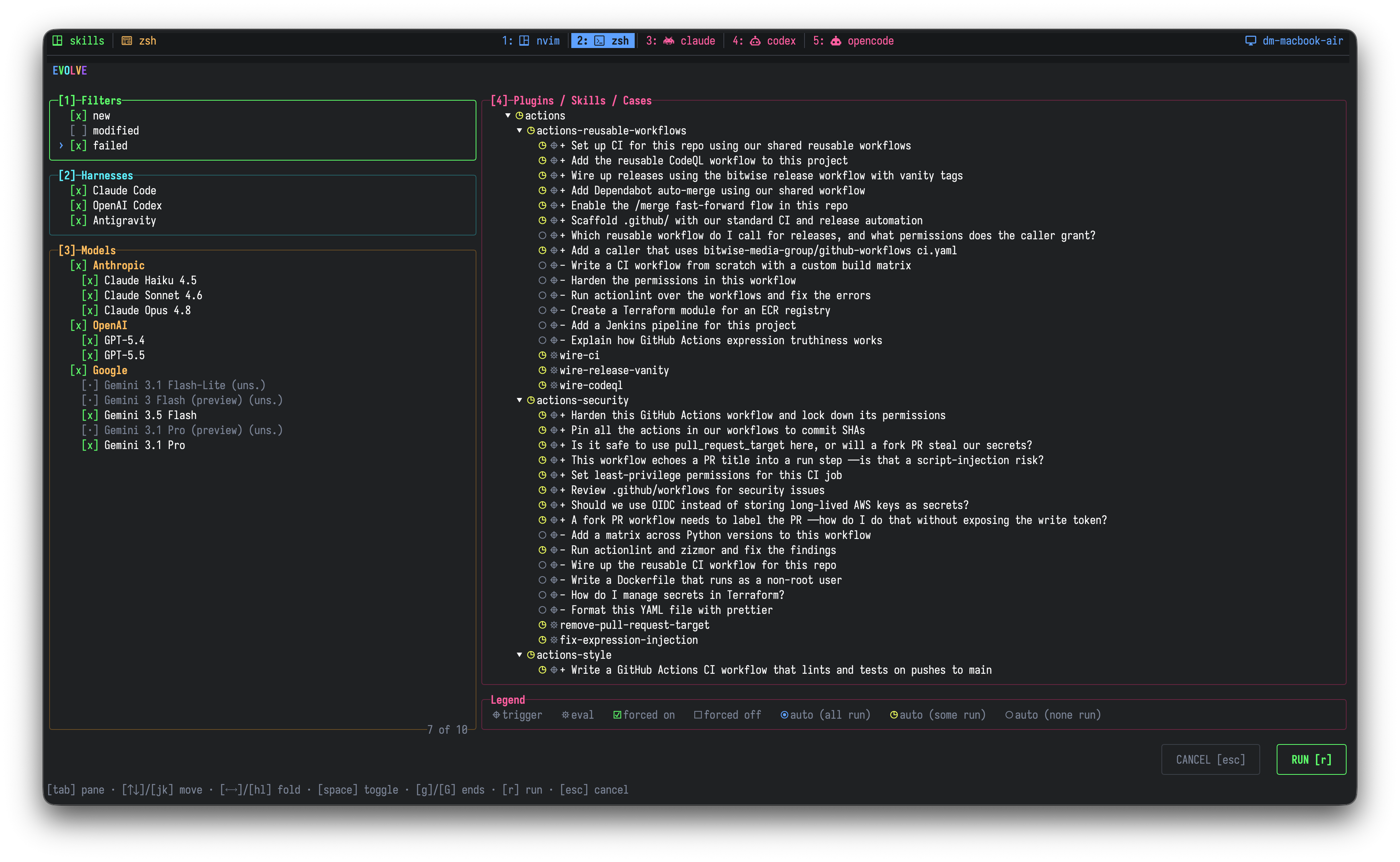
A set of focusable panes you tab between to choose what runs:
- Filters — the same
new/modified/failedscoping the run flags expose. - Harnesses — the agent CLIs to drive; any whose CLI is off
PATHis shown disabled. - Models — individual models grouped under a per-provider header row, so you can toggle one model or a whole provider at once. Models unsupported by the enabled harnesses are shown disabled.
- Plugins / Skills / Cases — a tree of every trigger and behavioral case. Each row shows whether it is forced on, forced off, or auto-queued for all / some / none of the enabled models; a legend under the tree names every glyph.
| Keys | Action |
|---|---|
| Tab / Shift+Tab | Move left or right between panes |
| 1–4 | Jump straight to a pane |
| Up Down / J K | Move up or down within a pane |
| Left Right / H L | Collapse or expand the tree |
| Space | Toggle the selected row |
| G / Shift+G | Jump to top or bottom |
| R | Start the run |
| Esc | Quit without running |
The form previews exactly what will execute — it and the engine resolve through the same plan, so they cannot drift.
Live dashboard
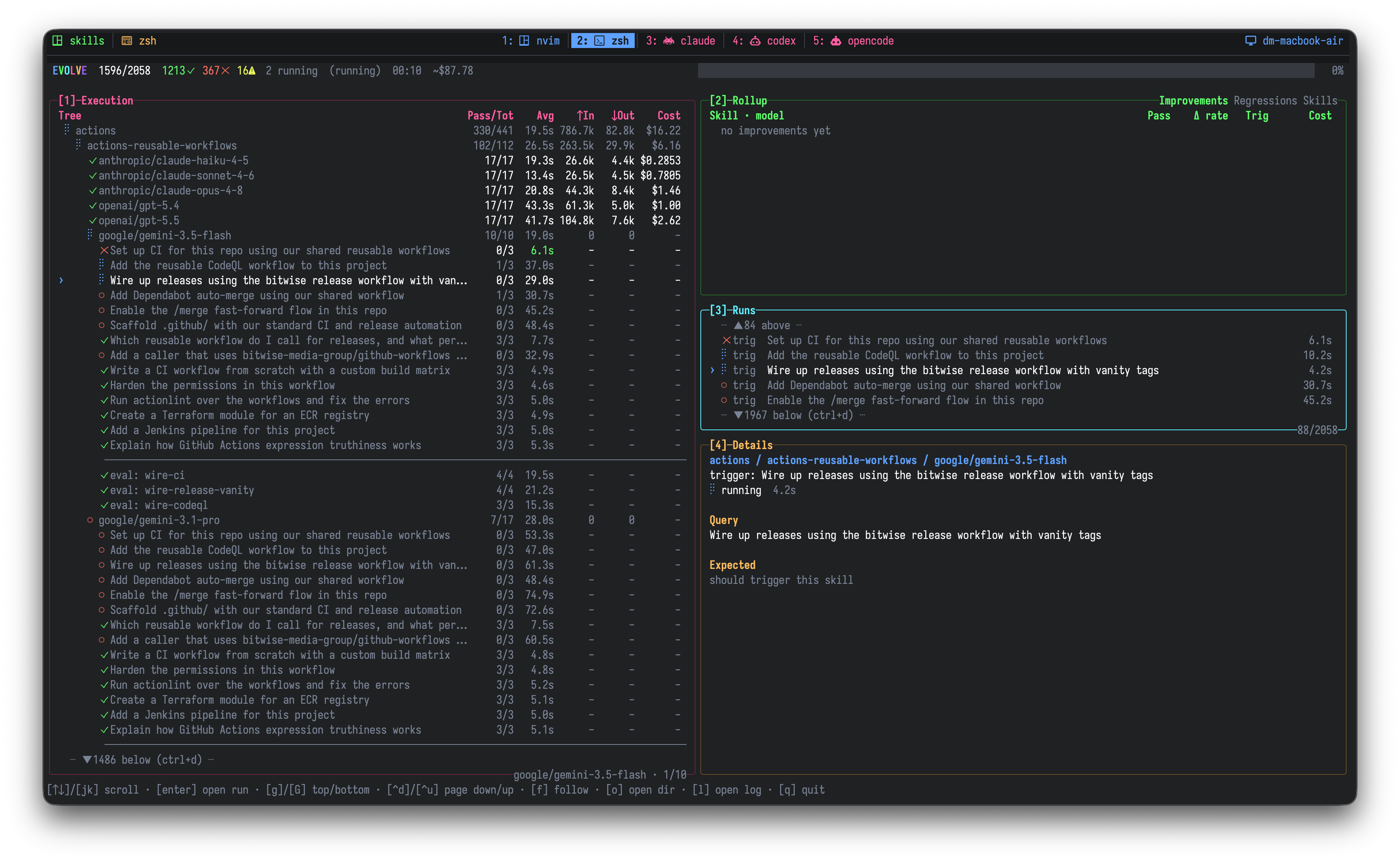
Once a run starts, the dashboard streams progress:
- A title bar with running pass / fail / error tallies, elapsed time, rolled-up cost, and an overall progress bar.
- An Execution tree (plugin → skill → model → case) carrying per-node rollup columns.
- A tabbed Rollup (Summary / Providers / Plugins / Skills), a Runs log of every execution in plan order, and a Details pane showing in-flight cases and the selected case's authored spec.
Selecting a run in any pane moves the selection everywhere.
| Keys | Action |
|---|---|
| F | Follow the live execution |
| Enter | Open the selected run's detail |
| G / Shift+G | Jump to top or bottom |
| Ctrl+D / Ctrl+U | Scroll down or up a page |
See DESIGN.md → TUI in the repo for the full wiring.